
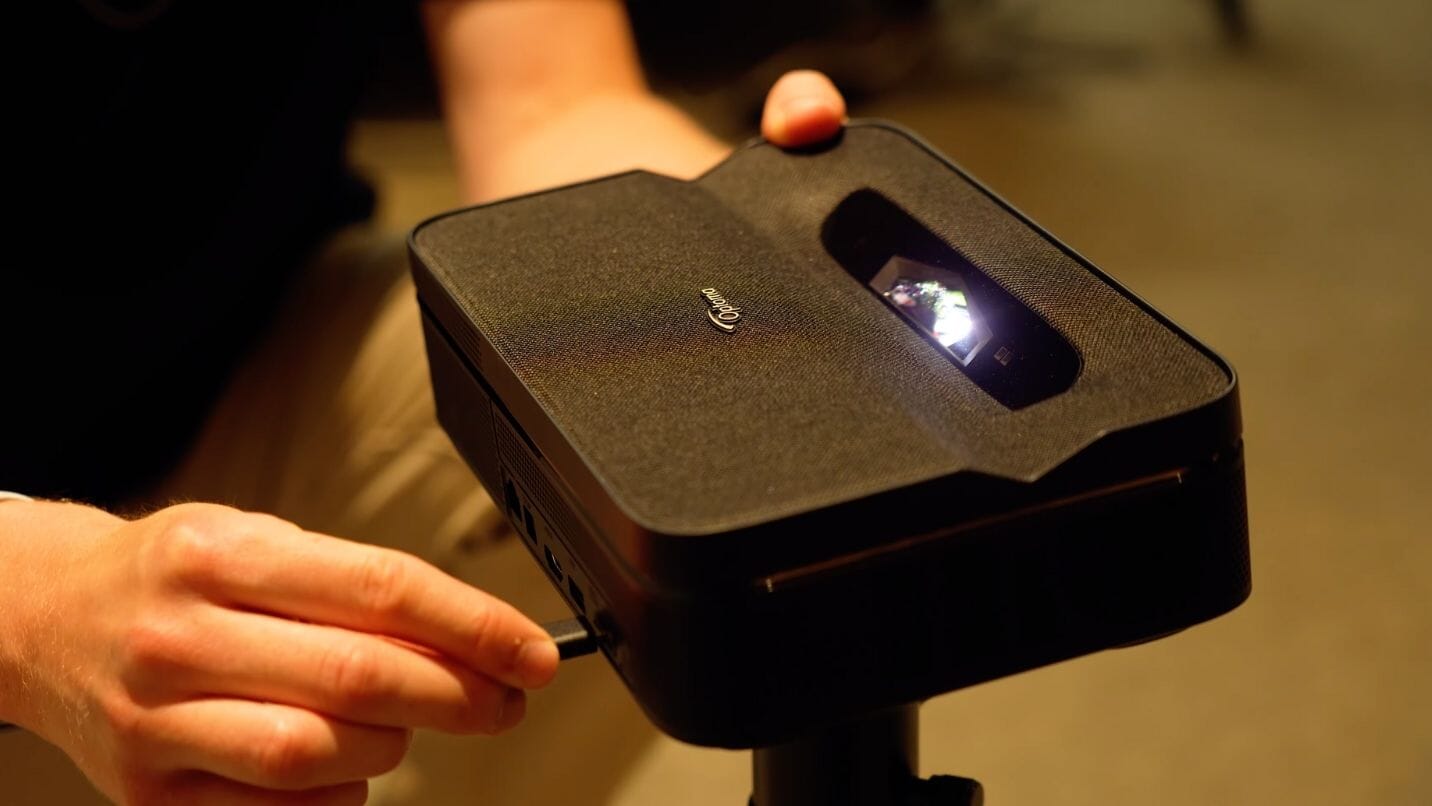
Is the Optoma Photon Go Worth It? Hands-On Review
If you’re after a portable projector that’s easy to use and delivers solid picture quality, the Optoma Photon Go is definitely worth a closer look. This ultra short throw model combines triple RGB laser technology, a compact form factor, and the ability to project up to 100-inches. But how does it actually perform in real-world use? Let's find out...
Optoma Photon Go Review: SHS 60-Second Summary RRP: £899.00 See Latest Pricing Let’s be clear, the Optoma Photon Go isn’t just your standard projector. This one offers something genuinely different. Ultra short throw? Tick. Triple RGB laser? Tick. Up to 100-inch screen size? Tick. And it does all that in a compact, travel-ready design for under £900. The Photon Go brings together portability and tech you’d normally only find in more expensive systems in an attempt to bridge the gap between lifestyle projectors like the Samsung Freestyle and more serious projector systems. Whether you’re planning garden movie nights, weekend getaways or just want a big screen option around the house, it’s aiming to do a bit of everything. And at least on paper, that’s a pretty exciting proposition. 👉 Prefer to watch instead of read? Skip the scroll and watch our full hands-on review on Youtube! | |
| Pros: ✓ Ultra short throw with auto setup features ✓ Triple RGB laser with vibrant colour ✓ Compact and lightweight design ✓ Built-in streaming and decent sound | Cons: ✖ No 4K resolution ✖ Battery life is limited without a power bank |
Optoma Photon Go Review: Design
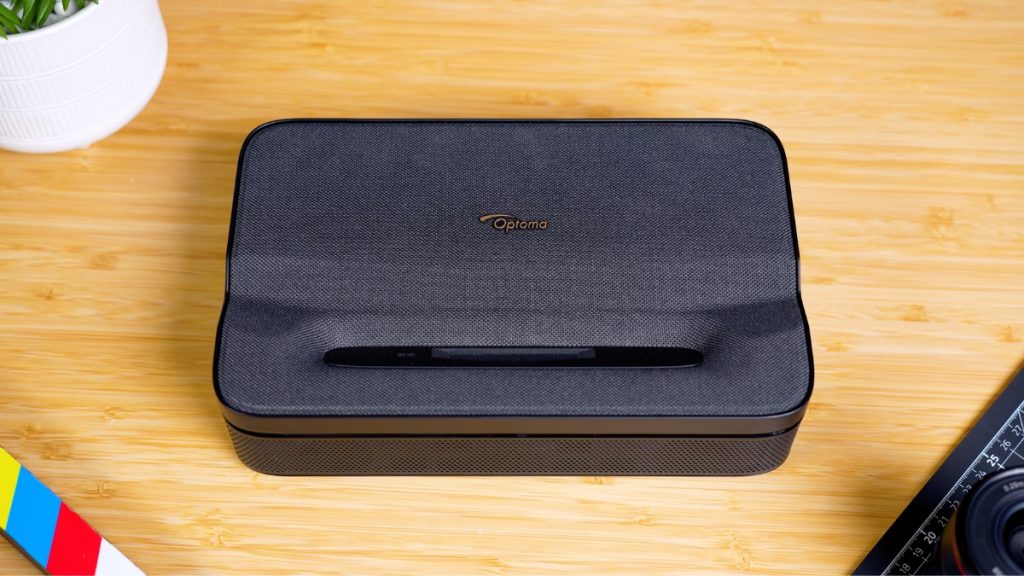
Straight out of the box, the Optoma Photon Go really does feel like a proper portable projector. It’s about the size of a large hardback book, so it’s compact enough to throw in a rucksack and at just 1.72kg, it’s light enough to carry without much thought.
There’s a nice premium feel to it too. You’ve got a dark fabric finish on the top which adds a bit of texture, and while the sides are plastic to keep the weight down, it doesn’t feel cheap or overly plasticky. It’s slim, it looks good, and it absolutely ticks the box for portability.
Underneath, there’s a tripod mount as well as four threaded inserts if you want to fix it to a bracket or other mounting option. We mostly used it with a tripod, which worked really well, but a lot of the time it was just as easy to place it on a flat surface and start watching.
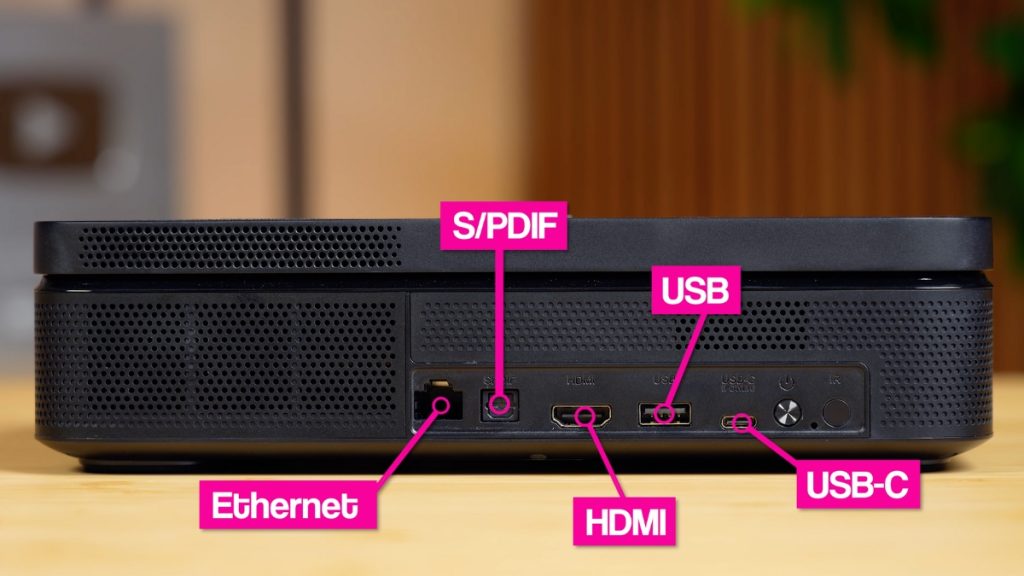
The Photon Go includes a useful mix of connections:
- Ethernet (for wired internet)
- SPDIF (for external audio)
- HDMI (ideal for consoles or streaming devices)
- USB-A (for content playback)
- USB-C (used for power)
There’s also a remote included, with handy shortcuts to key apps like Netflix. It’s simple, responsive and easy to use.
Optoma Photon Go Review: Setup & Features

In terms of getting set up, the Photon Go is refreshingly simple. It’s pretty much plug-and-play. And thanks to its built-in battery, you don’t even need to plug it in if it’s charged. Just place it, power it on, and you’re good to go.
Battery life does come with a trade-off. You’ll get around 1.2 hours in Bright mode or 1.5 hours in Eco, which is just short of a full film.
It’s not the longest-lasting battery we’ve seen in a portable projector. The Samsung Freestyle gets closer to 2 hours, and others like the Nebula Capsule 3 can stretch to 3, but the more powerful triple RGB laser engine here does require more juice.
The upside is, you can extend that runtime using a 20,000 to 30,000 mAh USB-C power bank, which we’d definitely recommend if you're planning to take it on the go.
We tested the Photon Go on a few different surfaces, a plain white wall, the official Optoma 92” portable screen, and even outdoors.
The wall gave us the best results overall. Because it’s an ultra short throw projector, you only need to place it a short distance from your viewing surface to get a big screen experience. The further you pull it back, the larger the image.
It also comes with a range of auto adjustments to keep things simple. Auto Keystone kicks in on its own most of the time, and you can tweak things manually if needed (up to +/- 10 degrees horizontally and vertically).
Auto Focus works well, and there’s even a Zoom function, which isn’t something you always get on projectors of this size and price point.
Most of the time, if you've got a decent flat surface and can place the projector at the right height, it takes very little effort to get everything lined up. We’ve tested a lot of portable models that can take ages to position properly, but this one made it really easy.
On the software side, the Photon Go includes a version of Google TV, which means you’ve got easy access to all your usual apps like Netflix, YouTube, Prime Video, Apple TV+ and more with a few clicks.
It also supports Google Voice Assistant and Google Cast, so you can use voice control or cast content straight from your phone if that’s your go-to. Everything’s built in, and you don’t need to carry a separate streaming stick, which is a big win for portability.
Optoma Photon Go Review: Picture Quality

Starting with the basics, this projector is limited to 1080p Full HD, so there’s no 4K support here, which is a bit of a shame. It’s not a dealbreaker for casual viewing, but something to keep in mind if you’re specifically after ultra-high-definition clarity.
For brightness, Optoma claim up to 650 lumens, which isn’t going to compete with a modern TV that can hit two, three or even four times that. But compared to other portable projectors like the Samsung Freestyle or Anker Nebula Capsule 3, it comes out on top and delivers just about what you’d want for watching in dim or darker environments.
What sets it apart from most standard projectors is the triple RGB laser system. Instead of using a single light source and colour wheel, the Photon Go produces individual red, green and blue light channels. This gives it a richer, more vibrant colour profile. Optoma quote 110% BT.2020 colour coverage, 150% DCI-P3 cinema-grade colour accuracy, and up to 20,000 hours of light source life.
What We Found During Testing

Specs are one thing, but performance is what really matters. And in darker environments, this projector genuinely impressed us. One of the first things we noticed was the brightness, so much so that in some tests we actually dialled it down a little. That was with Bright mode on, and it showed just how capable the laser engine really is.
The brightness looked best when projected onto a white wall or white screen. When we tested it outdoors or in lighter environments, it naturally didn’t hold up quite as well, which is to be expected with this kind of product. For us, if you’re looking to watch in brighter spaces, especially outside, it’s important to make sure your wall or screen is sheltered from direct light.
With that in mind, this is definitely a projector that performs best in darker settings. Indoors or in the evening, you get the most out of it. Contrast is strong, black levels are decent, and you don’t get that washed-out grey effect that some other portable models can suffer from.
Colours overall are vibrant and natural. Greens are rich, reds pop, and skin tones look good across most content. The only downside we found is sharpness consistency. For the most part, detail levels are strong and the image holds up well. But in more complex scenes, especially those with fast motion or lots of texture, the image can soften slightly.
We also noticed this in on-screen menus or during paused scenes, where text and UI elements didn’t look particularly sharp. It’s not a huge issue for casual use or travel-friendly setups, but if you’re very particular about image clarity or want something for more critical 4K viewing, this may not tick all the right boxes.
Optoma Photon Go Review: Sound Performance
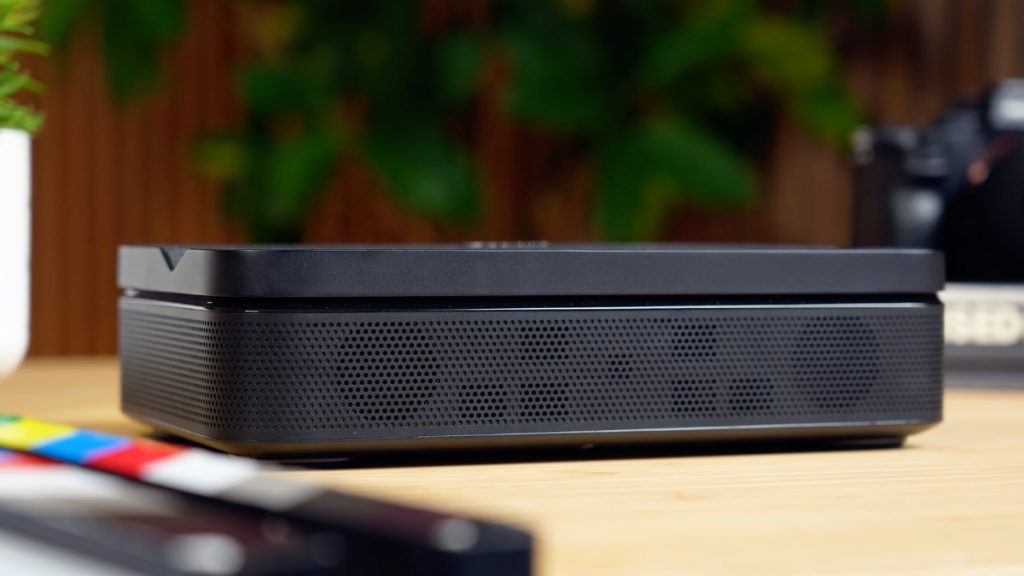
The Photon Go comes with two built-in 10W speakers, and they actually performed better than we expected. They support Dolby Digital Audio, and while you’re not going to get booming bass or surround sound, the audio quality is perfectly good enough for standard day-to-day use.
We ran the volume near the top end during testing, and for indoor listening, it held up really well. Dialogue came through clearly, and there was enough volume for small to mid-sized rooms. Like most compact projectors, it lacks a bit of depth, but that’s to be expected with a unit this size.
One feature we really appreciated is the ability to pair a Bluetooth speaker. If you’ve already got something like a Sonos Move 2 or another portable speaker, it’s well worth linking them up. We tested this setup and it gave us a noticeably fuller sound, especially outdoors or in larger spaces.
As for fan noise, it’s there, but it’s not distracting once you’ve got content playing. It’s most noticeable when no audio is coming through, but during playback we didn’t find it to be an issue. Plus, because the Photon Go is ultra short throw, you’re usually sitting a bit further back from it, which helps keep any fan noise out of earshot.
Optoma Photon Go Review: How it Compares

When it comes to direct rivals, the Photon Go is in a bit of a category of its own. There are plenty of portable projectors out there, and there are ultra short throw models too, but it’s rare to see both features combined in one unit, especially with RGB laser tech at this price.
We mentioned the Samsung Freestyle earlier, which is probably the closest in terms of lifestyle appeal. But the Freestyle doesn’t offer ultra short throw projection, and while it’s great for portability and smart features, it doesn’t match the Photon Go for brightness or colour performance.
The Anker Nebula Capsule 3 is another option, and it’s more compact with better battery life, but it also doesn’t deliver the same kind of cinematic image or flexibility in setup.
The Photon Go fills a very specific gap. If you're looking for something small, easy to use and capable of producing a big, vivid image without needing loads of space, this is exactly the kind of product that fits.
In our time with it, we used it for garden film nights, gaming in the bedroom, and even camping trips, and it handled all of them well. Around the house, it also makes a great second screen option for movie marathons or spontaneous viewing in rooms without a permanent setup.
If you mainly want something for travel or flexible indoor use and don’t need absolute top-tier image quality, the Photon Go offers a really useful blend of portability and performance.
Optoma Photon Go Review: Our Verdict

If you're considering the Optoma Photon Go, the thing to remember is this projector isn’t trying to be a full home cinema replacement. What it does really well is give you a bright, colourful picture in a small, portable design that's simple to use and has all the smart features built in.
Sure, there are a few trade-offs. No 4K support and a shorter battery life without a power bank. But those don’t take away from what this projector gets right.
If your priorities are ease of setup, bright performance, and flexibility indoors or outdoors, the Photon Go stands out as one of the most interesting portable projectors we’ve tested. It’s been in constant demand around our office, and it’s easy to see why. It fills a gap that not many other projectors currently do.
So if you're after something for casual movie nights, weekend trips, or just want a big screen you can set up anywhere, this is a solid option that we think a lot of people will enjoy. Like anything, it just comes down to what matters most to you.
Other Useful Content
Blog: How to Connect a Sonos Soundbar to a Projector
Video: The ULTIMATE setup? 120" AWOL Vision LTV-3000 Pro Laser Projector Review
Blog: Projector vs TV: Which is the Best Display for Your Home Cinema?
Video: TV Panel Type Buying Guide: OLED vs QLED vs QNED vs Micro LED vs Mini LED & More
For more information about TVs, Projectors or any other home cinema products, get in touch and one of our Tech Guides would be happy to help!
 | info@smarthomesounds.co.uk |
 | Live Chat on our Website |
 | 0800 677 1100 |
Why buy from Smart Home Sounds? We offer Lowest Price Guarantee, Free Next Day Delivery* and 0% Finance Available. Looking for more personal advice? Contact our team of experts today. Shop All Projectors